Help
Communication
Mumble
Mumble is a free and open source program for voice chat. We use it for chatting during events. It can be downloaded from Mumble.info. An account is not required.
Once Mumble is installed you'll need to configure your audio. Usually the setup wizard that will show up on first lanch will be enough. Make sure to properly set your noise threshold or set up push-to-talk.
Once that is all set up, you can connect to the Mumble server by using the Mumble link from the Home page. You should be able to connect and see something like this:
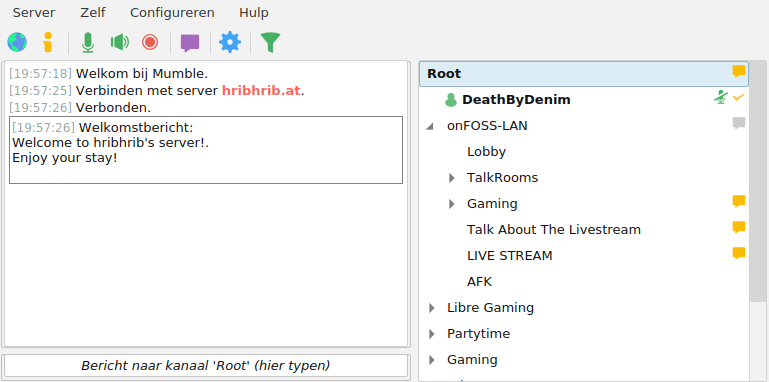
By default, you will be place in the Root channel, but you can double-click on any channel to join. You will most likely want to go to the onFOSS Lobby, however, you can see which channels the other people hang out in. Note that there will likely only be people here during events.
Matrix
This is where the community usually hangs out, chats and plans future events. Matrix is a decentralized chat protocol with many clients and servers available. You'll need to make an account on a server to join. Here you can find a list of public ones. Once you have an account you'll need a client. Most servers provide a web client which you can just use and there's many others but we recommend Sable. If you're coming from Discord the interface is fairly similar. It can be downloaded here. A public web interface is also available here. The rest of this guide will assume you're using Sable.
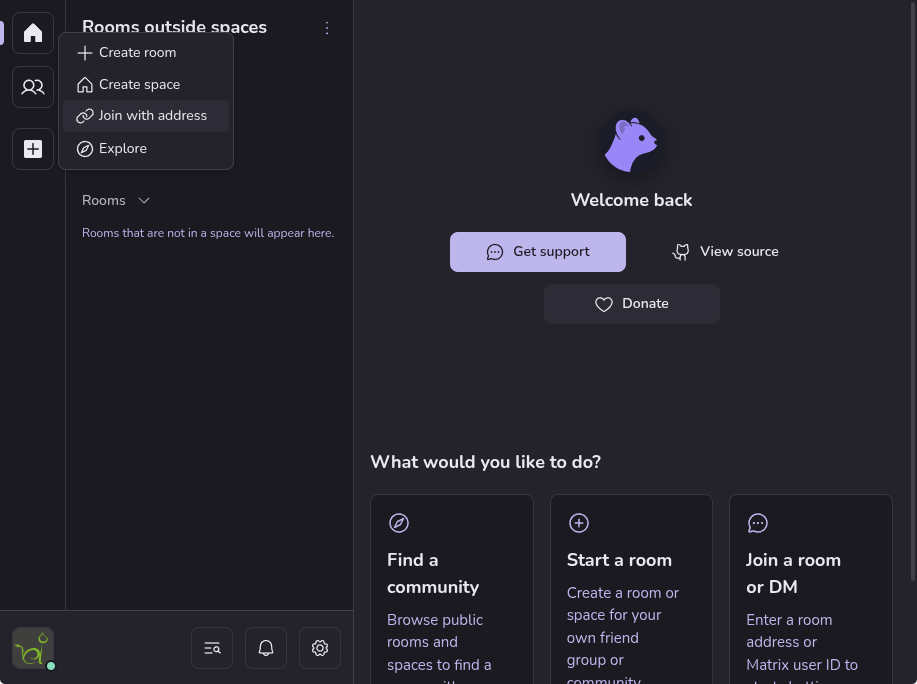
If you are using Sable as a standalone Application, you can follow the Matrix link on the Home page. If your browser asks you what application to open the link with make sure to select Sable. Should that not work or if you're using the web version of Sable click the big + button in the sidebar and select "Join with address". In the address field you can just paste in the Matrix link.
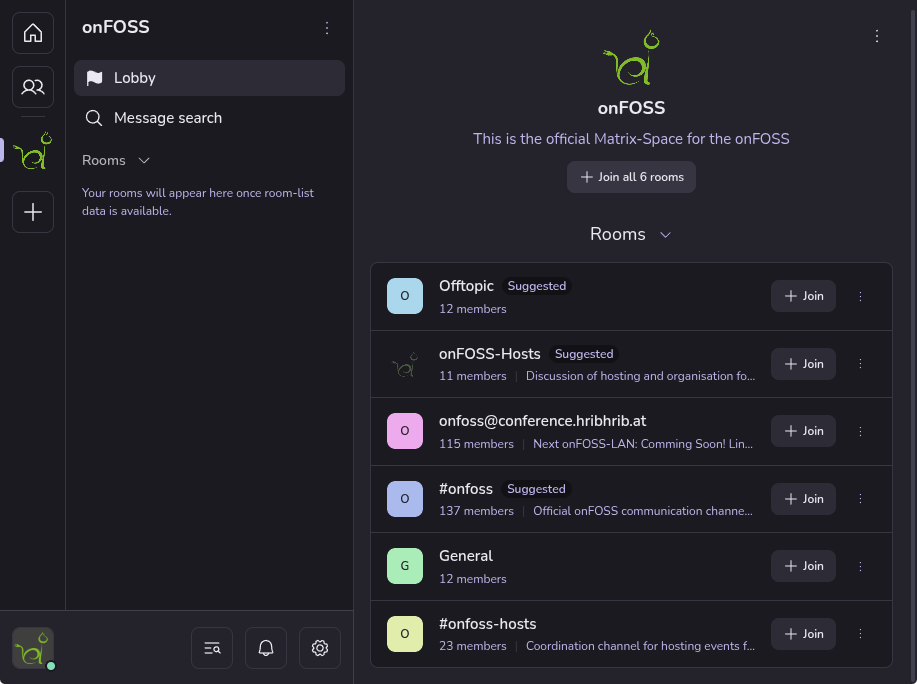
This will place you in the lobby of our space, essentially an overview of the rooms available. You can choose to join all of them or just select ones. You should definitely join the general room at least.
Games
Each game has their own separate help page
- 0 A.D.
- Armagetron Advanced
- AssaultCube
- Bzflag
- Hedgewars
- Hurry Curry!
- Hypersomnia
- LibreQuake
- Lix
- Luanti (formerly Minetest)
- Mindustry
- Nazi Zombies: Portable
- Odamex
- OpenArena
- OpenHV
- OpenSoldat
- OpenSpades
- Pixelpusher
- Quetoo
- Shattered Paradise
- Spaceships
- Super Tux Party
- SuperTuxKart
- Suroi
- Tanks of Freedom
- Tanks of Freedom 2
- Teeworlds
- UFO: Alien Invasion
- Unvanquished
- Warzone 2100
- Wasted
- Xonotic